Settings
General
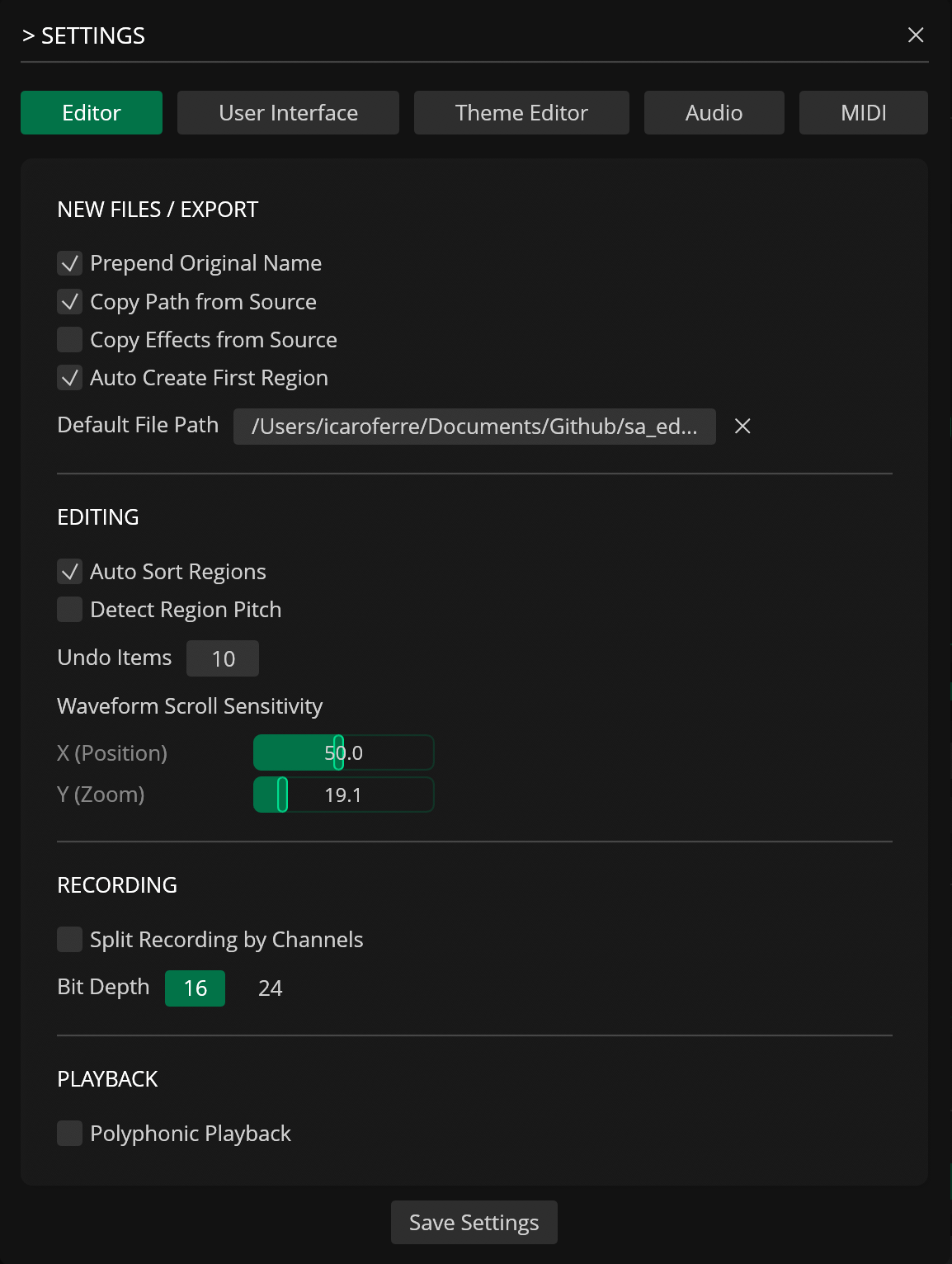
| Name | Description |
|---|---|
| Prepend Original Name | Prepend the original file name to the new file name when creating or exporting a file |
| Copy Path from Source | Keep the original file's path when creating or exporting a new file |
| Copy Effects from Source | Copy modifiers (metadata/attributes/tags) from the original file into the new file |
| Auto Create First Region | Automatically create an initial region when you create or open a new file |
| Auto Sort Regions | Automatically sort regions in the editor by start sample |
| Default File Path | Set the default path for new audio recordings |
| EDITING | |
| Detect Region Pitch | Automatically detect the pitch of newly created or edited regions |
| Undo Items | Set the maximum undo items per file (5-100) * |
| Waveform Scroll Sensitivity | Set the mouse scroll sensitivity (horizontal = X, vertical = Y) |
| X (Position) | Horizontal mouse scroll sensitivity |
| Inverse | Inverse horizontal scrolling |
| Y (Zoom) | Vertical mouse scroll sensitivity |
| Inverse | Inverse vertical scrolling |
| RECORDING | |
| Split Recording by Channels | Split each input channel into separate tracks/regions when recording |
| Bit Depth | Set the recording bit depth (16 / 24 / 32 bits) |
| PLAYBACK | |
| Polyphonic Playback | Allow overlapping playback of multiple regions/voices (polyphonic playback) |
User Interface
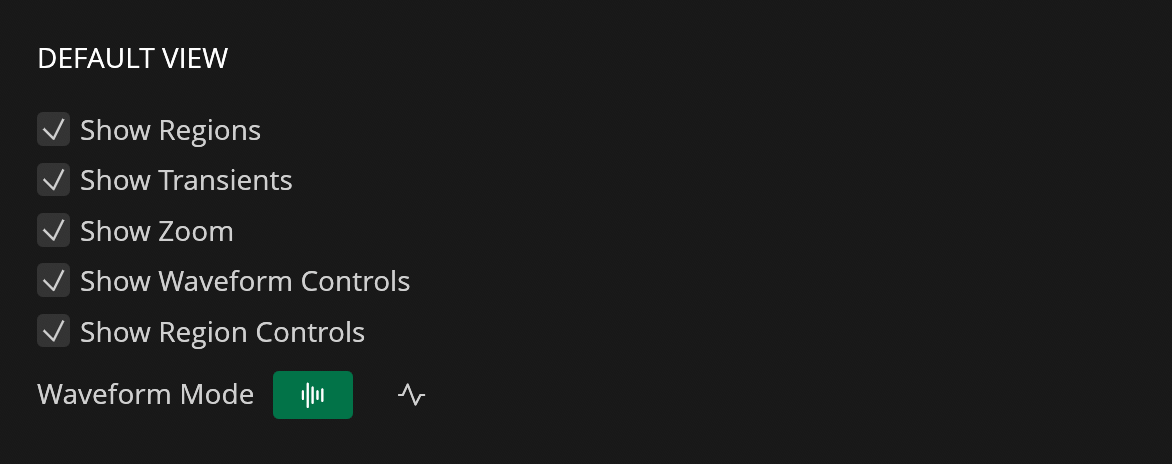
| Name | Description |
|---|---|
| Show Regions | Default: show region in waveform view |
| Show Transients | Default: show transient markers in waveform view |
| Show Zoom | Default: show zoom controls in the waveform view |
| Show Waveform Controls | Default: show waveform control elements (play/pause/other controls) |
| Show Region Controls | Default: show region control elements (play/pause/other controls) in the Regions panel |
| Waveform Mode | Choose waveform display mode (Bars or Line) |
| Waveform Glow | Toggle the background glow for the waveform (Bar mode) |
Theme Editor
| Name | Description |
|---|---|
| Theme Editor | Open the theme editor UI to edit colors and other theme values (availability depends on licensing/limits) |
| Load Theme | Load/import a theme JSON from the themes directory into the theme editor |
| Export Theme | Export the currently edited/applied theme to a JSON file |
Audio
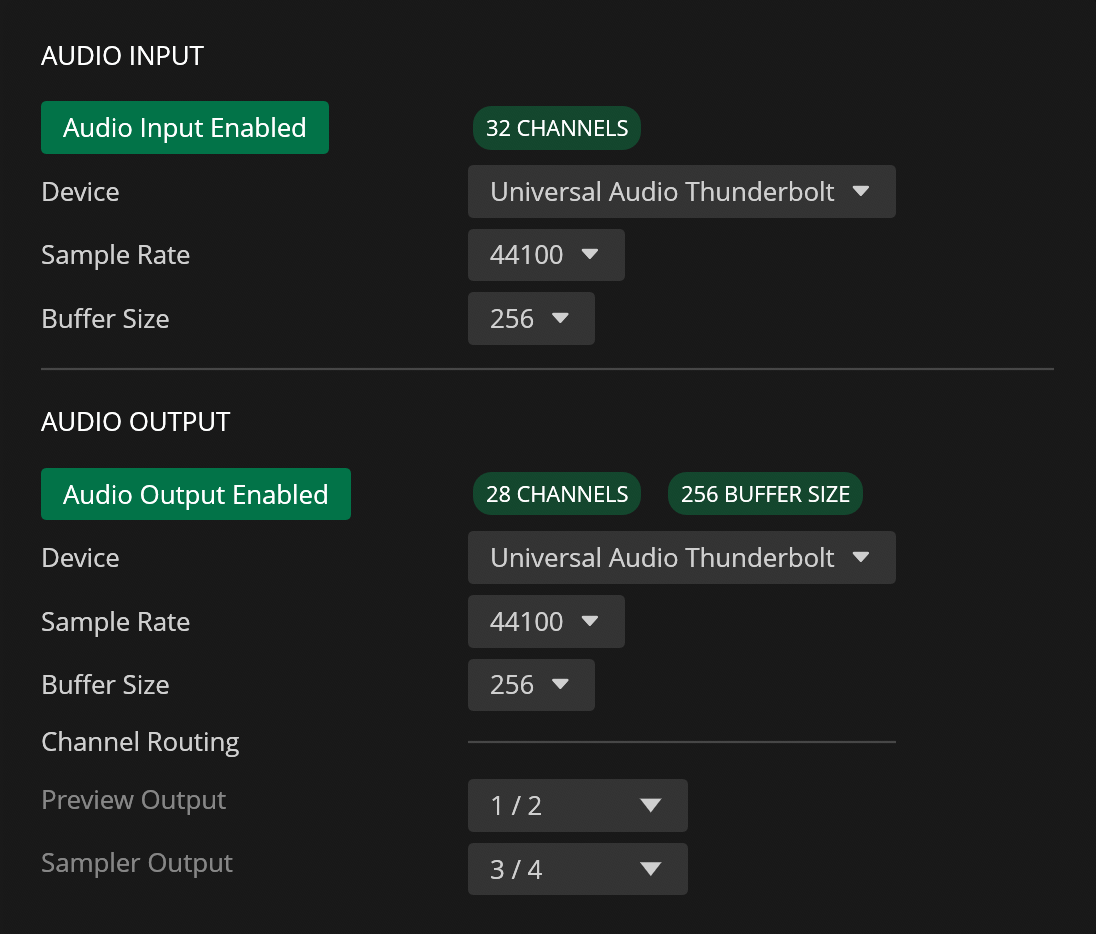
| Name | Description |
|---|---|
| AUDIO INPUT | |
| Audio Input Enabled / Disabled | Enable or disable audio input |
| Device | Select the audio input device to use |
| Sample Rate | Select the sample rate for the selected input device (choose from available rates) |
| AUDIO OUTPUT | |
| Audio Output Enabled / Disabled | Enable or disable audio output |
| Device | Select the audio output device to use |
| Sample Rate | Select the sample rate for the selected output device (choose from available rates) |
| CHANNEL ROUTING | |
| Preview Output | Set the output device channel for audio playback or preview (main output) |
| Sampler Output | Set the output device channel for the Send to Sampler action |
MIDI
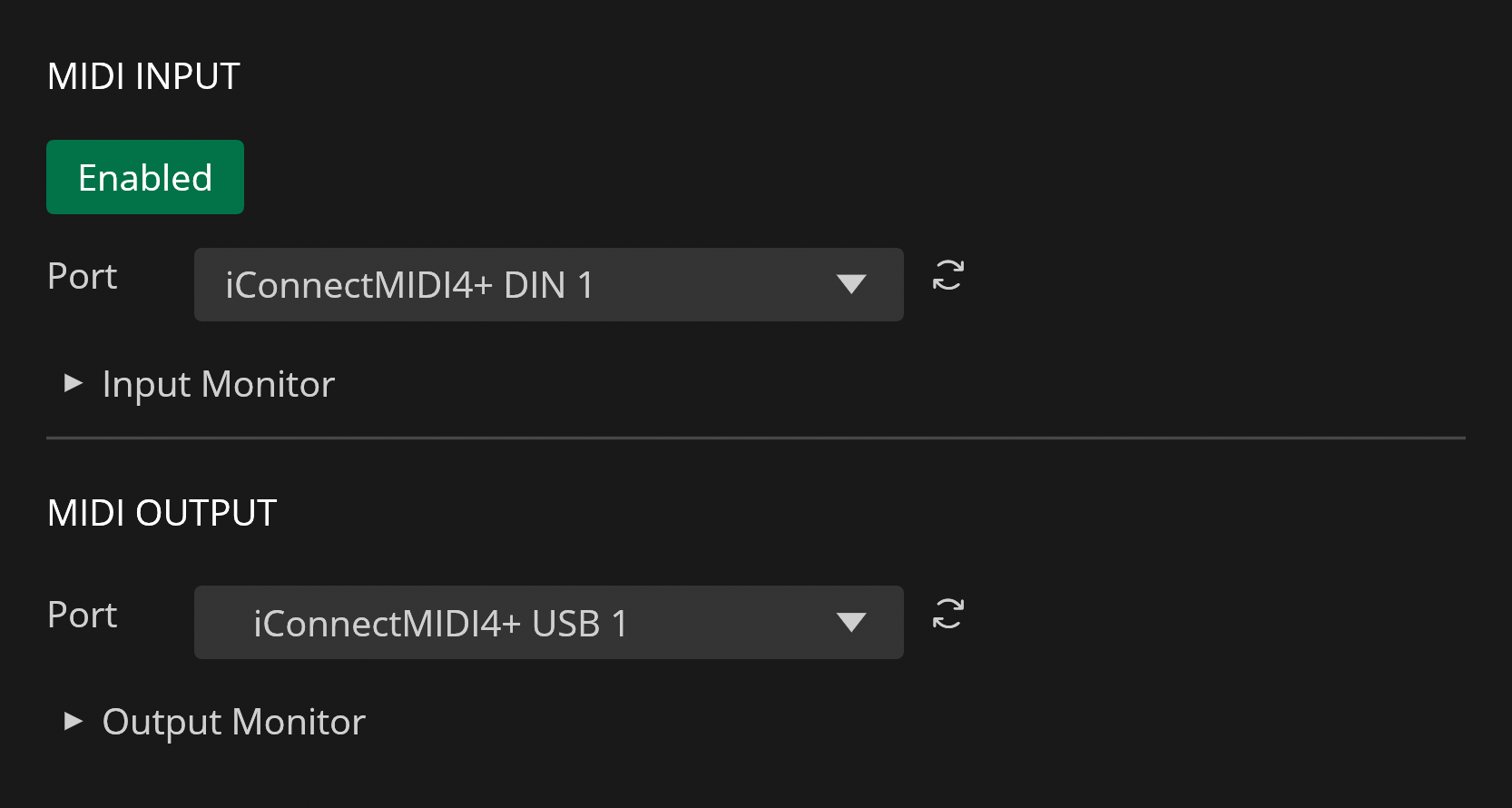
| Name | Description |
|---|---|
| MIDI INPUT | |
| Enabled / Disabled | Enable or disable MIDI input processing |
| Port | Select the MIDI input port from detected MIDI devices |
| MIDI Monitor | Show incoming MIDI events for monitoring and debugging |
| MIDI OUTPUT | |
| Port | Select the MIDI output port used for sending MIDI messages |